If you’re setting up a WordPress site, the hosting decision usually comes down to two options: a shared hosting plan or managed WordPress hosting. They can look similar on a pricing page. Living with them is another story.
This guide explains what each type of hosting actually includes, walks through the six differences that matter in practice, and gives you a simple way to decide which one your site needs.
The short answer
Shared hosting rents your site space on a server shared with other websites, and it works with any platform — WordPress included. Managed WordPress hosting adds a server setup tuned for WordPress plus done-for-you core updates, backups, caching, and expert support. Shared typically costs less; managed typically costs more but handles more WordPress maintenance and adds WordPress-specific performance tooling.
A quick rule of thumb:
- Choose shared hosting if you’re starting out, your budget leads the decision, and you’re comfortable managing tasks your plan doesn’t cover, such as plugin and theme updates and performance tuning.
- Choose managed WordPress hosting if your site is part of your income, you’d rather never think about maintenance, or traffic is starting to grow.
What is shared hosting?
Shared hosting puts your website on a server alongside many other sites, all splitting the same resources. Because one machine serves many customers, it’s the least expensive way to host a website. (At DreamHost, this type of plan is called web hosting.)
It’s a general-purpose environment: you can run WordPress on it (most people do), but nothing about the server is WordPress-specific. The host keeps the server itself patched, secured, and online. What happens inside your site — WordPress updates, backups beyond the included ones, performance tuning — is largely up to you. (New to all of this? Our beginner’s guide to web hosting covers the basics.)
More About Control Panels
In web hosting, a control panel is a web-based interface for managing a server and the websites on it: domains, DNS records, email, databases, files, and backups. Managed hosting plans bundle one. On a self-managed server, you install or license one yourself. Common examples include cPanel, Plesk, and DirectAdmin; some hosts, including DreamHost, build their own.
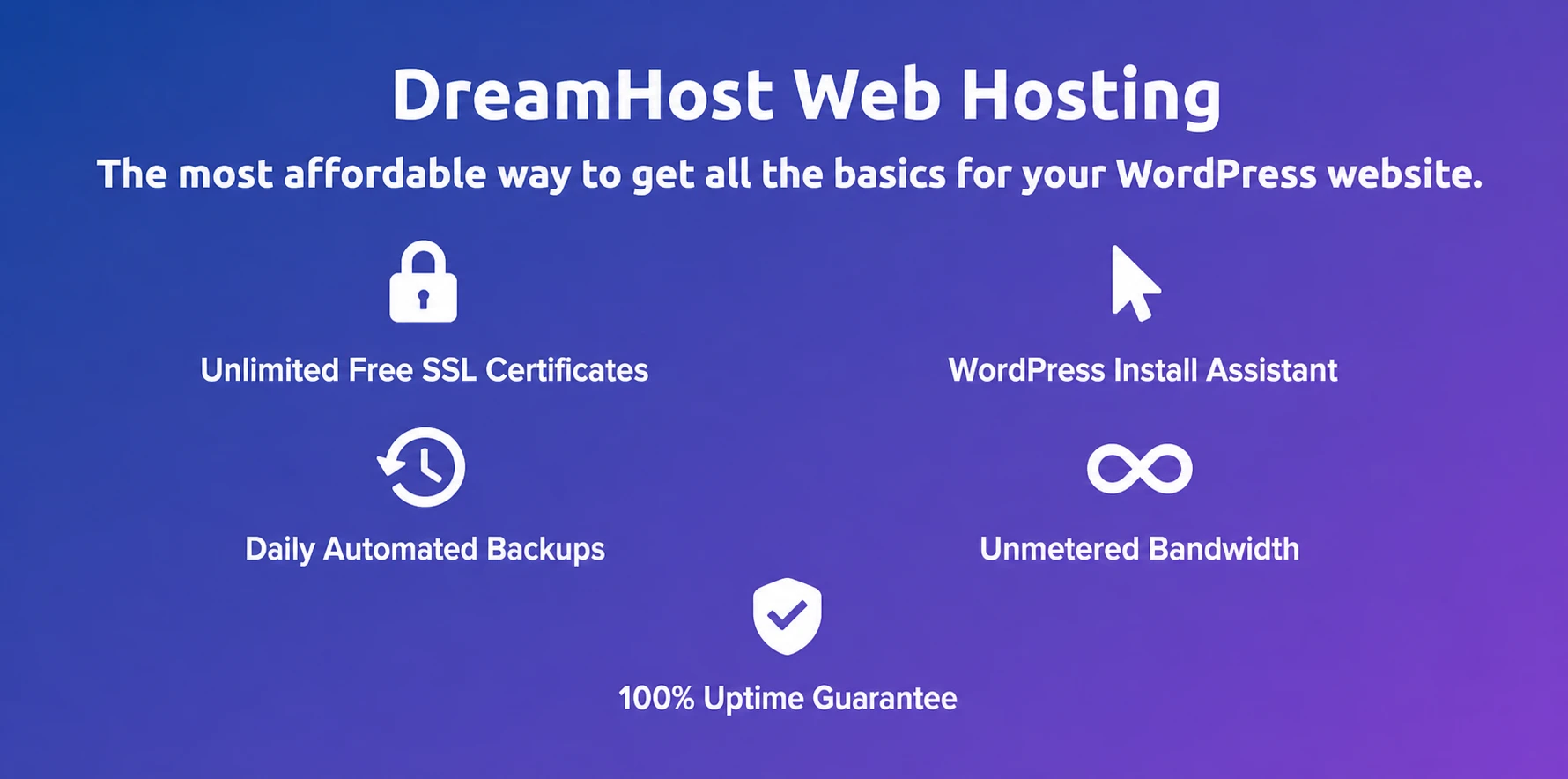
Modern shared plans include more than they used to. DreamHost’s web hosting plans, for example, come with unlimited free SSL certificates, daily automated backups, a guided WordPress Install Assistant, unmetered bandwidth, and a 100% uptime guarantee backed by credits. For a new blog, portfolio, or small business site, that’s genuinely enough.
The trade-offs are the ones that come with sharing: your site competes for resources with its neighbors during traffic spikes, and the generic setup means WordPress-specific conveniences — server-level caching, staging sites, WordPress expert support — usually aren’t part of the deal.
What is managed WordPress hosting?
Managed WordPress hosting is a service where the host runs the technical side of WordPress for you — core software updates, daily backups, server-level caching, and security monitoring — on servers tuned specifically for WordPress. You focus on your content and business; the host keeps the platform fast and current.
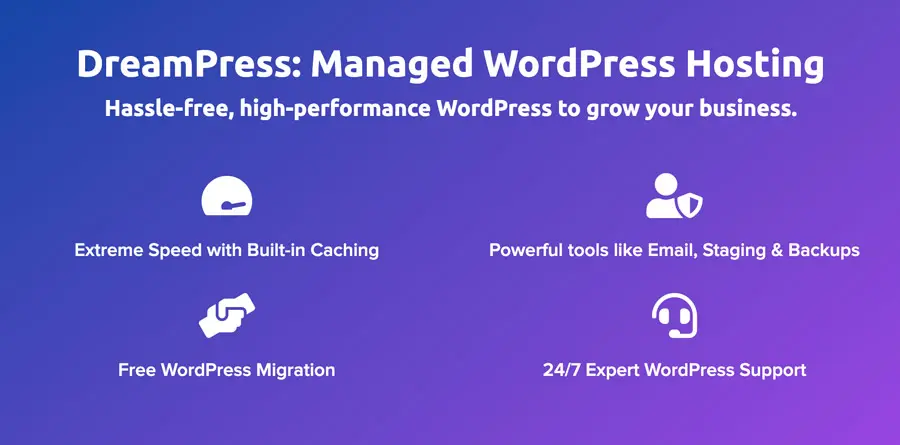
“Tuned for WordPress” means a genuinely different server setup. Take DreamPress, DreamHost’s managed WordPress hosting, as a concrete example. Every plan runs several caching layers that work together to serve pages faster (NGINX FastCGI caching, a Redis object cache, and PHP OPcache). Your automated daily backups are stored offsite on Amazon S3, and one-click staging lets you test changes safely before your visitors see them.
The other half of “managed” is human: support comes from WordPress specialists rather than generalists, which matters the day a plugin update takes your checkout page down.
Managed WordPress hosting vs. shared hosting: 6 key differences
1. Performance
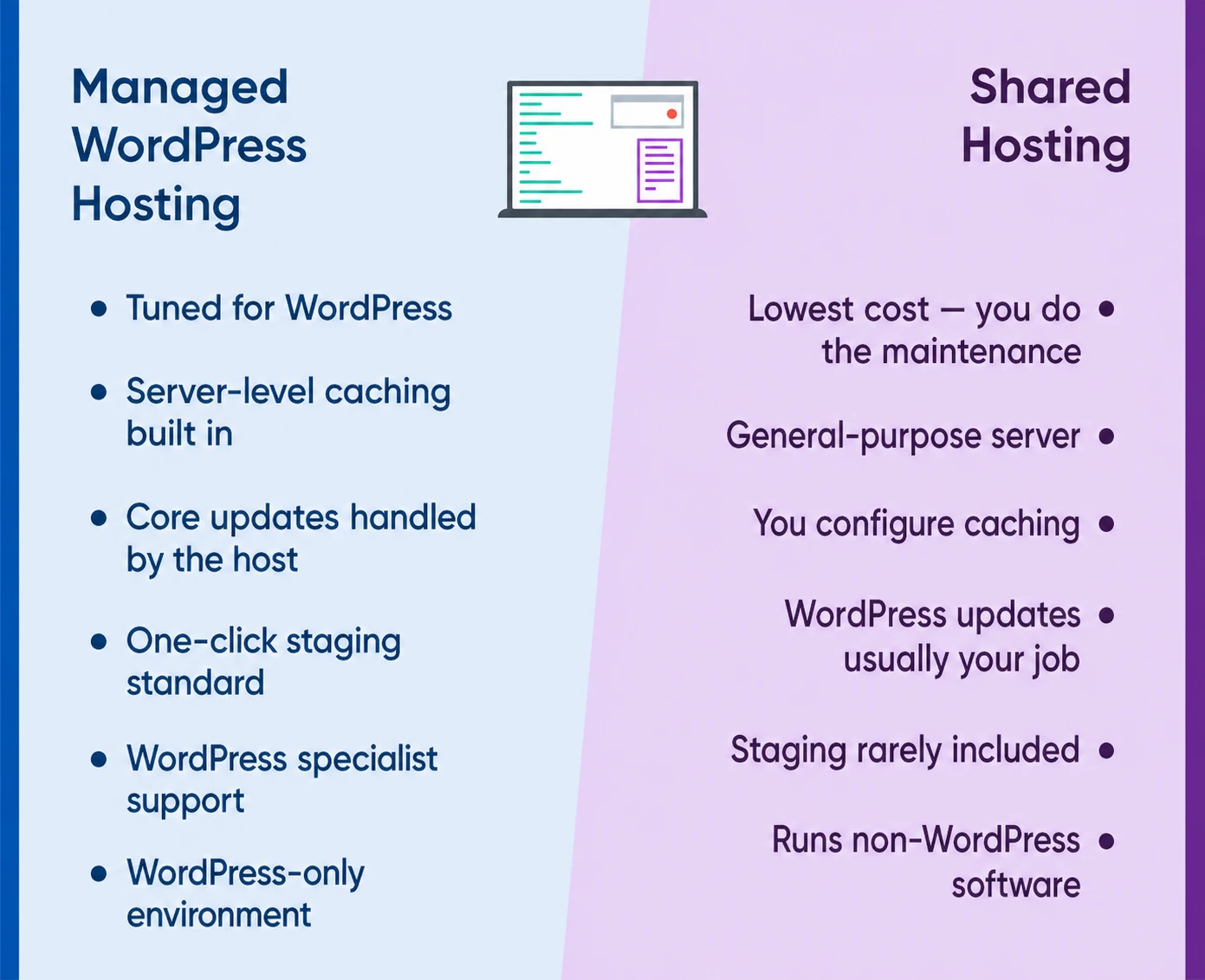
Managed WordPress hosting is designed for WordPress performance, often including server-level caching that requires little or no customer configuration. DreamPress, for example, includes built-in caching rather than requiring a third-party caching plugin.
The gap is measurable. In DreamHost’s own benchmark tests (measured August 18–31, 2025, on identical sites across leading WordPress platforms), DreamPress delivered up to 6x faster site response times, with pages fully loaded in under a second and performance staying steady under load. As with any vendor benchmark, your results will vary by region and site setup.
On shared hosting, performance is respectable for low-to-medium traffic, but you’re responsible for your own caching setup, and a busy neighbor can slow your site at exactly the wrong moment.
2. Updates and maintenance
On managed WordPress hosting, core updates are typically handled for you, but confirm exactly what your plan covers. On shared hosting, keeping WordPress current is usually your job — though you can enable auto-updates yourself in the WordPress dashboard under Dashboard → Updates, and some hosts pitch in: DreamHost web hosting plans apply WordPress core and security updates automatically.
One nuance that trips people up: even on managed plans, plugin and theme updates typically remain your responsibility — hosts manage the platform, not every extension you’ve installed. Check what’s included before you buy, and consider enabling auto-updates for plugins you trust.
3. Backups and staging
Both types of hosting usually include automated daily backups — DreamHost includes them on web hosting and DreamPress alike. The difference is depth. DreamPress stores its daily backups offsite on Amazon S3 (retention is 14 days on the Business plans and 30 days on the Agency plans), and lets you take on-demand backups and restore them yourself, so a server problem can’t take your backups down with it.
Staging is the bigger separator. A staging site is a private copy of your site where you can test a new theme, a big plugin update, or a redesign, then push it live. One-click staging is included on every DreamPress plan and not a given on shared plans. Once you’ve broken a live site with an update (most of us only need to do this once), staging stops feeling optional.
4. Security
Shared hosting security is solid at the server level — DreamHost web hosting, for example, includes unlimited free SSL certificates on every plan, and the host keeps the server itself patched. But the machine is shared with many other sites, and WordPress-specific hardening is on you.
Managed WordPress hosting maintains and monitors the platform with WordPress specifically in mind, and core updates are applied for you. That closes off one slice of the risk — but only a slice. Per Patchstack’s State of WordPress Security in 2025 report, 7,966 new vulnerabilities were found in the WordPress ecosystem in 2024 — 96% of them in plugins, 4% in themes, and just seven in WordPress core. So whichever hosting you choose, keeping your plugins updated is the security habit that matters most.
5. Support
Shared hosting support covers hosting: the server, your account, your domain. Ask a deep WordPress question — a database error, a plugin conflict, a white screen after an update — and you may be pointed back to the WordPress community.
Managed WordPress support is staffed by people who work on WordPress all day. DreamPress support, for example, is available 24/7 from WordPress specialists, and DreamHost publishes a 73% first-contact resolution rate for it (as of August 2026). When your site is your business, that difference is worth real money the day something breaks.
6. Price and flexibility
Shared hosting wins on price. That’s its job: one server split across many customers keeps the bill low. Managed WordPress hosting costs more because you’re paying for the management — the updates, backups, caching, and specialist support come with the plan. Hosting prices change (and first-term promotional rates usually renew higher), so compare current numbers on the web hosting and DreamPress pages — DreamHost prints each plan’s renewal rate on the card before you buy.
Shared hosting also wins on flexibility: it’s a general-purpose environment, so you can run WordPress next to other tools and platforms. Managed WordPress hosting is WordPress-only by design; that focus is exactly where its speed and support advantages come from.
Side-by-side comparison
| Feature | Shared Hosting | Managed WordPress Hosting |
| Cost | Lowest — you do the maintenance | Higher — the management is included |
| Server setup | General-purpose | Tuned for WordPress |
| Caching | You configure it (plugins) | Built in at the server level |
| WordPress core updates | You, WordPress auto-updates, or your host | Handled by the host |
| Plugin/theme updates | You | Usually still you — check your plan |
| Staging site | Rarely included | Standard (one-click on DreamPress) |
| Backups | Varies by host; daily automated on DreamHost | Varies by host; DreamPress includes daily offsite and on-demand backups |
| Environment | Shared with many other sites | WordPress-only, host-managed |
| Support | General hosting support | WordPress specialists |
| Runs non-WordPress software | Yes | No — WordPress only |
Which should you choose?
Ask yourself two questions: what does an hour of your time cost, and what does an hour of downtime cost? Shared hosting trades your time for a lower bill. Managed hosting trades a higher bill for your time back, plus fewer expensive surprises when traffic spikes or an update goes wrong.
Shared hosting fits you if:
- You’re launching your first site, blog, or portfolio and budget leads the decision.
- You’re comfortable handling WordPress updates and the occasional fix yourself.
- You want the freedom to run other software alongside WordPress.
Managed WordPress hosting fits you if:
- Your site makes money (a store, a business site, a monetized blog) and downtime or slow pages cost you directly.
- You don’t have the time (or desire) to be your own webmaster.
- Traffic is growing and you want performance headroom plus staging before big changes.
And this isn’t a permanent decision: starting on a shared plan and moving to managed hosting once your site earns it is a well-worn path — hosts build for exactly that upgrade.
Managed WordPress hosting FAQs
Is managed WordPress hosting worth it?
It’s worth it when your site has real stakes, like revenue or reputation, or when maintenance time is costing you more than the price difference. For a hobby site or a brand-new blog, shared hosting is usually the smarter starting point.
How much does managed WordPress hosting cost per month?
It varies widely by host and plan size, but expect to pay more than for entry-level shared hosting — the updates, backups, caching, and specialist support are part of what you’re buying. Watch for the renewal rate, not just the promotional first-term price; DreamHost shows current DreamPress pricing with the renewal rate printed on each plan card.
Can I use any WordPress plugin with managed WordPress hosting?
Mostly, yes — but because caching is built into the platform, third-party caching plugins are unnecessary and can conflict with it. On DreamPress, DreamHost doesn’t ban any specific plugins, though it recommends against caching plugins and plugins that rely on PHP sessions, which don’t play well with the server cache. Policies differ by host, so check before you migrate.
Does managed WordPress hosting update my plugins and themes?
Usually not — managed hosts handle WordPress core, while plugin and theme updates typically remain your job. Some hosts offer it as an extra. Check what your plan includes, and enable WordPress auto-updates for extensions you trust.
Do I need managed hosting to run WordPress?
No. WordPress runs perfectly well on a shared plan, and that’s how most sites start. Managed hosting changes who does the maintenance and how fast the site runs under load — not whether WordPress works.
Can I start on shared hosting and switch to managed later?
Yes. If you stay with the same host, the move is straightforward — DreamPress plans include a free professional migration of your existing site (one per site your plan supports), so you don’t rebuild anything.

Power Your Site with WordPress
Hassle-free, high-performance WordPress hosting can help you grow your business. Budget-friendly web hosting and high-performance managed DreamPress plans available.
Compare Plans